


Portable 4K Projector: 650 ANSI, Auto Focus, Android 11
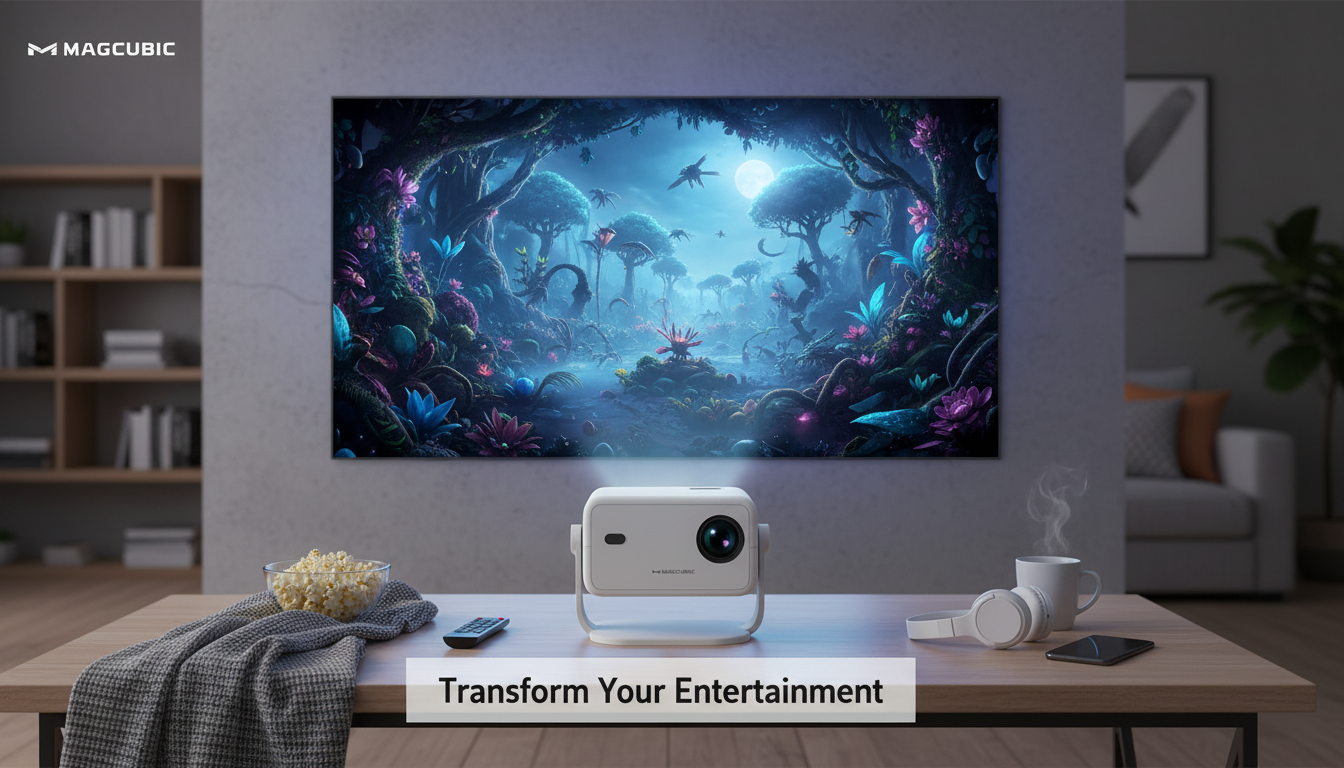
Portable 4K Projector with 650 ANSI Brightness, Auto Focus & Android 11
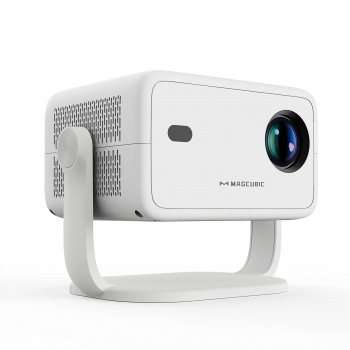
A compact projector can be a practical way to get a big-screen experience in small apartments, bedrooms, dorms, and outdoor setups—without committing to a permanent TV mount. This portable 4K-capable projector pairs 650 ANSI brightness with auto focus and Android 11, aiming to make setup faster, streaming simpler, and viewing more flexible across different rooms and screen sizes.
Quick look: what makes this projector different
- Portable form factor designed for easy room-to-room moves and quick pop-up movie nights.
- 650 ANSI brightness for clearer images in dim rooms and better resilience to mild ambient light than very low-lumen mini projectors.
- Auto focus support to reduce manual fiddling when changing distance or repositioning.
- Android 11 built in for app-based streaming and on-device playback (availability of specific apps can vary by region/device certification).
- 4K input support for higher-detail sources, with practical viewing benefits depending on content, distance, and screen size.
Brightness claims can be confusing across brands, so it helps that ANSI lumens are a standardized measurement. If you want a quick definition of how ANSI lumens are measured, Projector Central’s ANSI lumens glossary is a useful reference.
Image quality basics: brightness, sharpness, and screen size
650 ANSI brightness is a meaningful metric because ANSI lumens are measured with a standardized method; it’s generally more comparable across brands than vague “lux” or inflated lumen claims. That said, any projector looks its best when you manage ambient light. For daytime viewing, plan on window shades/curtains or shrink the image size to help preserve contrast.
4K-capable playback is most noticeable when the entire chain is strong: high-quality sources (4K streaming tiers, UHD files, modern consoles), a decent bit rate, and a clean projection surface. To keep the picture crisp, use a flat matte-white screen when possible (or a smooth light-colored wall), avoid heavily textured paint, and keep the projector squared up to the screen to reduce the need for heavy digital correction.
| Room lighting | Suggested screen size range | Tip |
|---|---|---|
| Dark room (night, lights off) | 80–120 in | Prioritize contrast; reduce stray light. |
| Dim room (soft lamps) | 70–100 in | Aim the lamp away from the screen. |
| Moderate ambient light (daylight leaks) | 50–80 in | Use curtains and consider a screen for better pop. |
Auto focus and setup: faster alignment with fewer adjustments
Auto focus is one of those features that becomes more valuable the more often you move the projector. If the unit bounces between a coffee table, a bedroom dresser, and a backyard stand, auto focus helps keep menus, subtitles, and fine details readable without a lot of manual trial-and-error.
- For the cleanest geometry, place the unit centered to the screen and keep the lens level; digital corrections can be convenient but may slightly reduce effective resolution.
- A stable surface (table, shelf, or tripod) reduces vibration that can affect perceived sharpness and focus consistency.
- A quick setup routine helps: choose projection mode, confirm Wi‑Fi, apply firmware updates if prompted, then check focus using a high-contrast menu or a simple test pattern.
Android 11 experience: streaming, casting, and everyday usability
With Android 11 built in, a projector like this can work as an all-in-one entertainment hub for many households. You can often install streaming apps directly, sign in once, and launch content without attaching an external stick. For a high-level look at the platform, Android Developers’ Android 11 overview provides helpful context.
It’s still smart to plan for a simple workaround: app availability and maximum streaming quality can depend on DRM/certification support. If a favorite service is missing, unstable, or capped at a lower resolution, a dedicated streamer over HDMI (Roku, Fire TV, Chromecast, Apple TV) can be a reliable fallback.
Connectivity and audio: what to plug in (and what to expect)
For most devices, HDMI is the simplest path: laptops, streaming devices, and game consoles can all feed video and audio through one cable. If you’re mixing sources, it helps to understand what HDMI supports at a baseline; the HDMI specification overview is a dependable reference.
Use cases that suit a portable 4K-capable projector
Specs and buying checklist
| What to check | Why it matters | Simple target |
|---|---|---|
| Brightness | Determines usable screen size and ambient-light tolerance | 650 ANSI is solid for dark/dim rooms |
| Focus/adjustments | Speeds setup after moving the unit | Auto focus for quick clarity |
| Operating system | Controls apps and on-device playback | Android 11 for built-in streaming |
| Inputs | Connects consoles, laptops, streamers | HDMI for most devices |
| Audio output | Improves sound quality and volume | Bluetooth or wired external speaker option |
Common pitfalls and how to avoid them
Also available in our store
- Lucky Star Necklace
- Women’s Do Nothing Democrats T-Shirt – Anti Democrat T-Shirts
- Word Print Racerback Tank – Minimalist Tank – Unique Workout Tank
FAQ
Does 650 ANSI brightness work in a living room with lights on?
It works best in dark or dim rooms. With lights on, use a smaller screen size, aim lamps away from the screen, and reduce daylight with curtains to improve contrast.
Can Android 11 replace a streaming stick completely?
For many apps, yes—built-in Android can handle everyday streaming without extra devices. However, app availability and maximum playback quality can vary, so an HDMI streaming stick is a dependable fallback when a service is missing or limited.
Is auto focus enough to keep the whole image sharp?
Auto focus helps you get to a clear picture quickly, especially after moving the projector. For uniform sharpness across the entire screen, placement still matters—keep the unit centered and level, and avoid heavy digital corrections when possible.












Leave a comment