


Funny Best Friend Quote Sleeve for MacBook Air 14
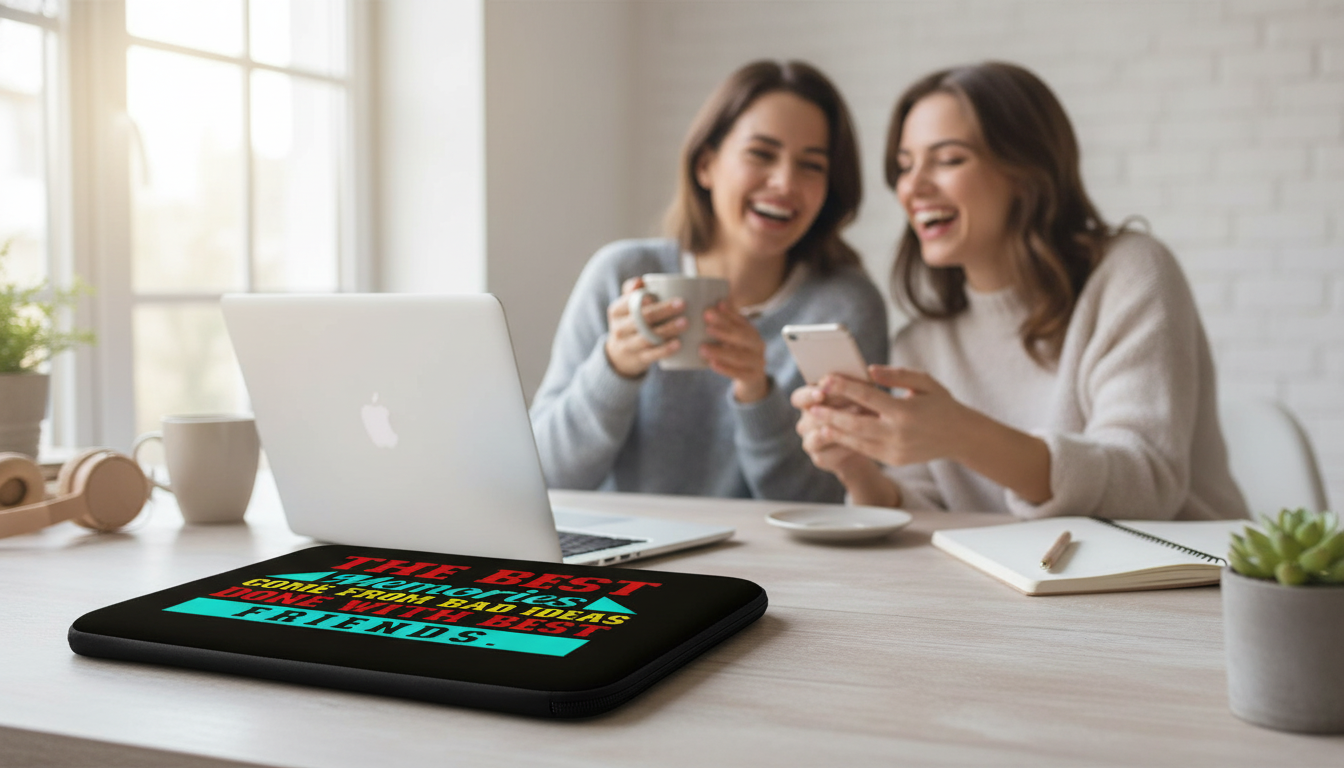
Best Friend Quotes MacBook Air 14″ Sleeve – Funny Design Laptop Sleeve – Graphic MacBook Sleeve
A laptop sleeve can do more than prevent scratches—it can add personality to a daily essential. This 14″ MacBook Air sleeve pairs a funny best-friend quote graphic with everyday protection for commutes, classrooms, and coffee-shop work sessions. If your laptop goes everywhere with you, a slim graphic sleeve is an easy way to keep it looking clean while adding a little humor to the routine.
What Makes This Sleeve Stand Out
- Bold best-friend quote graphic that turns a practical accessory into a conversation piece.
- Made for a 14″ sleeve size—useful for MacBook Air and similarly sized laptops/tablets (check dimensions before ordering).
- Slim profile that fits easily inside backpacks, totes, and carry-ons.
- Everyday-friendly design that works for school, office, and travel.
The best sleeves are the ones that feel effortless to use: easy to slide in and out, easy to carry, and easy to spot when you’re grabbing your things quickly. A quote-forward graphic also makes the sleeve feel less like “gear” and more like part of a personal style.
Style Notes: Funny Quote + Graphic Look
- The quote-forward design gives a playful, giftable vibe without needing extra accessories.
- Pairs well with minimalist bags (the sleeve becomes the statement piece).
- Works as a coordinated set with stickers, phone cases, or a matching color palette in your desk setup.
- Ideal for anyone who likes lighthearted humor in everyday carry items.
If the rest of your work setup is neutral—black backpack, simple notebook, clean water bottle—this sleeve adds just enough personality without clashing. It also looks great in shared spaces (classrooms, meetings, coworking tables) where you want your items to feel unmistakably yours.
Fit and Compatibility: Getting the Right Size
“14-inch” can mean slightly different real-world dimensions depending on the device. For the most reliable fit, check your laptop’s physical measurements (width, height, and thickness) and compare them to the sleeve’s intended capacity—especially if you’ve added a hard shell case.
- Confirm laptop model and screen size, then compare device dimensions to the sleeve’s intended 14″ capacity.
- Consider whether the laptop has a hard shell case attached—cases add bulk and may require extra clearance.
- Think about how you carry it: a snug fit is great for hand-carrying, while a little room can help when sliding into a bag quickly.
- If using with a tablet + keyboard case, measure the thickest point (usually the hinge area).
Quick Fit Check Before Ordering
| Check | Why it matters | How to measure |
|---|---|---|
| Device dimensions | A 14″ label can vary by brand/model | Measure width × height × thickness of the laptop |
| Extra bulk (case/skin) | Hard shells and corner guards can reduce fit | Measure with accessories attached |
| Zipper clearance | Tight corners can stress zippers over time | Allow a little room at edges |
| Charging dongle storage | Some sleeves have minimal extra space | Decide if you’ll carry accessories separately |
If you’re unsure of your exact Mac model, Apple’s guide can help you identify it quickly: Apple Support: Identify your MacBook model. For size details, it also helps to compare against Apple’s official dimensions: MacBook Air Technical Specifications.
Protection for Daily Use
- Helps reduce scuffs and surface scratches from keys, pens, and bag hardware.
- Adds a buffer for minor bumps during commuting or moving between classes and meetings.
- Best practice: place the laptop in the sleeve before putting it into a backpack to reduce abrasion against other items.
- For heavier travel days, pair with a bag that has a padded laptop compartment for layered protection.
A sleeve is especially useful for the everyday little hazards—tossing your laptop next to a water bottle, brushing against a zipper pull, or setting it down on a rough tabletop. Keeping your device inside a sleeve also helps your laptop look newer for longer, which matters if you plan to trade it in later.
Where It Fits Into a Routine (School, Work, Travel)
- Campus days: keeps the laptop protected when moving between lecture halls and study spots.
- Office commute: adds a clean, professional carry option with a humorous twist.
- Coffee shops and coworking: the graphic design makes it easy to spot your laptop sleeve quickly.
- Air travel: useful for quick laptop removal and reinsertion when passing through security (carry separately if needed).
Gifting Ideas for Best Friends
If you’re putting together a small “best friend” bundle, a simple accessory can round it out nicely. Pair the sleeve with the Lucky Star Necklace for an easy, everyday piece that feels thoughtful without being complicated. For a cozy weekend vibe, you can also add a casual top like the Word Print Racerback Tank – Minimalist Tank – Unique Workout Tank or the Women’s Do Nothing Democrats T-Shirt – Anti Democrat T-Shirts, depending on your friend’s style.
Care and Longevity Tips
FAQ
Will a 14″ sleeve fit a MacBook Air?
It can, but the best way to confirm is to compare your MacBook Air’s physical dimensions to the sleeve’s 14″ capacity. If you use a hard shell case or corner guards, measure with those accessories attached because they add bulk.
Can this sleeve go inside a backpack laptop compartment?
Yes—slim sleeves are commonly used as an extra protective layer inside a backpack compartment. Make sure the compartment isn’t overly tight and keep bulky chargers or accessories in a separate pouch to avoid pressure on the zipper and seams.
How do you clean a graphic laptop sleeve without damaging the print?
Wipe it gently with a soft cloth; if needed, use mild soap and water and avoid harsh cleaners. Let it air-dry completely before putting your laptop back inside.















Leave a comment