


240W USB-C Cable with LED for Fast Charge + Data
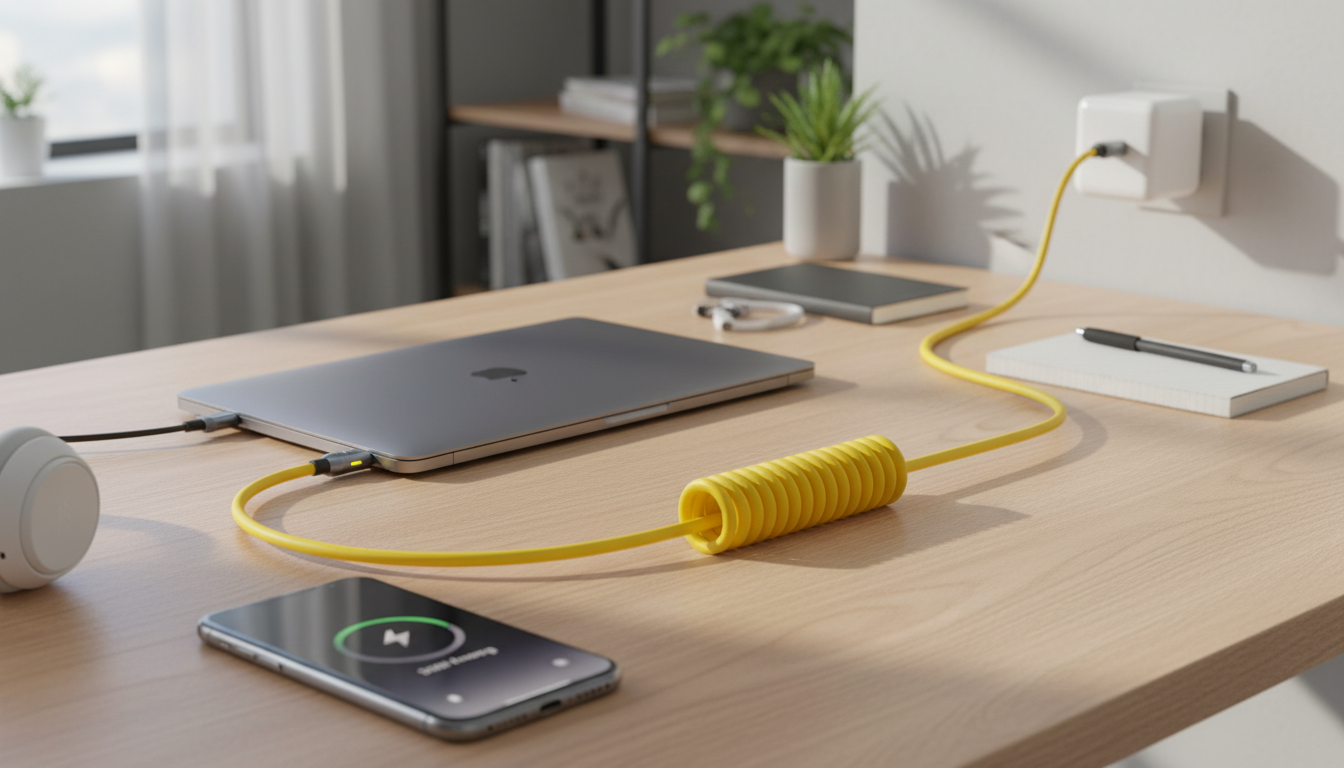
240W USB‑C Power Cable with LED Indicator: One Cable for High-Power Charging and Everyday Syncing
A high-power USB‑C cable can simplify charging and syncing across laptops, tablets, and phones—especially when the cable gives instant visual feedback. This 240W USB‑C power cable pairs fast charging support with data transfer and an LED indicator designed for easy status checks in dim rooms, at a desk, or while traveling.
What Makes This Cable Different
Not all USB‑C cables are built for the same workload. Some are designed primarily for light phone charging, while others are made to handle higher power demands and more consistent day-to-day use.
- 240W-class power delivery support for high-demand devices like USB‑C laptops and docks (when used with a compatible charger and device).
- LED indicator helps confirm connection and charging activity at a glance.
- Power + data in one, reducing the need to carry separate “charging-only” and “data-only” cables.
- Practical anywhere: desk setups, bedside charging, travel kits, and shared workspaces where cables get swapped often.
If you’re upgrading a workstation or trying to standardize your everyday carry, the 240W USB-C Power Cable with LED Indicator – Fast Charging & Data Transfer is aimed at eliminating the “wrong cable” problem—especially for USB‑C laptops that need higher wattage to charge reliably while in use.
Power and Charging Performance
High-wattage USB‑C charging depends on the full chain: charger, device, and cable. This cable is designed to support higher power levels so it’s less likely to be the limiting factor when you pair it with a compatible USB‑C Power Delivery (PD) charger and a device that can negotiate higher power.
- Designed for high-wattage USB‑C charging with compatible USB‑C PD chargers and devices.
- Helps avoid bottlenecks commonly caused by low-rated or older cables that can’t safely carry higher current.
- System negotiates to the lowest limit: your device only draws what it supports, and charging will cap at the lowest supported wattage among charger, cable, and device.
- Useful for demanding scenarios, such as charging a laptop while running external displays, hubs, or other peripherals.
To understand how USB‑C PD negotiates power and why cable ratings matter, the USB-IF overview is a helpful reference: USB Type‑C and USB Power Delivery.
LED Indicator: Practical Uses
The LED indicator is a small detail that tends to become a daily convenience. Instead of waking a screen, unlocking a phone, or guessing whether a port is live, a quick glance can confirm the connection.
- Instant confirmation the cable is receiving power—handy when outlets are hidden behind furniture or power strips are crowded.
- Easier to find in low light (bedside tables, cars, aircraft seats, or behind a desk).
- Less port wear by reducing repeated plug/unplug checks when you’re unsure whether charging started.
- Troubleshooting aid: a change in LED behavior can hint at a loose connection, a weak power source, or an incompatible charging mode.
This is especially useful in shared spaces—conference rooms, classrooms, or family charging stations—where multiple devices rotate through the same outlet and you want quick confirmation that a connection “took.”
Data Transfer for Daily Syncing
A cable that only charges can be limiting when you need to move files, update a device, or connect an accessory. This cable supports everyday data tasks so one cable can handle both routine charging and typical USB‑C connections.
- Everyday transfers such as phone-to-laptop file moves, backups, and connecting common USB‑C accessories.
- Charge while connected to USB‑C devices like hubs, controllers, or audio interfaces (compatibility varies by device and host hardware).
- For specialized workflows (like high-speed external SSD performance), confirm the data standard required by your devices and ensure your cable is rated accordingly.
For many shoppers, the best experience comes from choosing a cable that won’t hold back charging, then using it as the “default” cable for everything—especially when traveling with a laptop and phone that both rely on USB‑C.
Quick Comparison with Other In‑Stock Options
Different setups call for different cable choices. If you want the most headroom for modern USB‑C laptops and chargers, the 240W option is built for that. If you’re optimizing for value or compact carry, lower-wattage options may be the better fit.
| Product | Power Support | Best For | Price |
|---|---|---|---|
| 240W USB‑C Power Cable with LED Indicator | Up to 240W (when supported by charger/device) | Laptop charging, desk setup, visual charge status | $79.45 |
| 100W USB‑C to USB‑C Fast Charging Cable with PD 3.0 & QC 4.0 – 5A Power | Up to 100W | Phones/tablets, many laptops, value pick | $11.99 |
| 66W 5A Fast Charging Spring Retractable USB Type C Cable – For Car & On-the-Go | Up to 66W | Car use, travel, cable management on-the-go | $11.99 |
Compatibility Tips (So Everything Charges at Full Speed)
If you’re using devices that mention Quick Charge compatibility, it can help to understand what QC is and how it differs from USB‑C PD: Qualcomm Quick Charge Technology.
Care and Longevity
FAQ
Does a 240W USB‑C cable make charging faster on all devices?
No. Charging speed depends on what your device and charger support; a 240W-rated cable mainly helps ensure the cable isn’t the limiting factor when higher power is available.
Will the LED indicator stay on all the time?
It depends on the power state and how the indicator is designed to behave. Typically, the LED reflects power/connection status and may change when a device finishes charging or switches modes.
Can this cable be used for data transfer as well as charging?
Yes, it supports data transfer for common syncing and accessory use. Actual maximum data speed depends on the cable’s specific data rating and the capabilities of the connected devices.












Leave a comment