


100W USB-C to USB-C Cable: PD 3.0, QC 4.0, 5A Guide
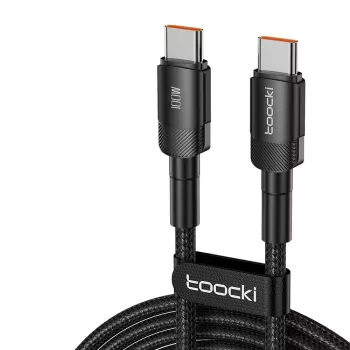
100W USB-C to USB-C Fast Charging Cable (PD 3.0, QC 4.0, 5A): What It Powers and How to Use It
A 100W USB-C to USB-C cable can turn a single USB-C charger into a reliable power line for laptops, tablets, phones, and gaming handhelds—when the cable, charger, and device all support the same fast-charging rules. This guide breaks down what “100W / 5A / PD 3.0 / QC 4.0” means in real use, what to check for compatibility, and how to get fast, stable charging without excess heat or slowdowns.
What “100W / 5A / PD 3.0 / QC 4.0” Means
100W is the maximum power the cable can safely carry—but only when the charger and device can negotiate that power over USB-C Power Delivery (PD). If either side tops out lower (like a 30W charger or a 65W laptop limit), the cable won’t “force” 100W; it simply won’t be the bottleneck.
5A is the current rating. Hitting 100W commonly means 20V × 5A, which typically requires an electronically marked (e-marker) USB-C cable that identifies itself as 5A-capable so compatible chargers will allow the higher current.
PD 3.0 is the widely used USB-IF standard that lets the charger and device agree on voltage and current. That negotiation is why USB-C charging can scale from small devices to laptops. For reference specs, see the USB Power Delivery overview from USB-IF.
QC 4.0 is Qualcomm’s fast-charging system that builds on USB PD behavior. Many QC 4.0 phones and accessories also accept standard USB PD charging, but real-world results still depend on the exact device and charger pairing. Qualcomm provides background here: Quick Charge technology overview.
Even with the right standards, charging speed can change based on battery temperature, battery percentage (many devices taper near full), and whether the device is under heavy load while plugged in.
Best Uses: Devices and Scenarios Where 100W Cables Matter
USB-C laptops and ultrabooks (often 45W–100W)
If a laptop supports USB-C charging, a 100W-rated cable helps keep charging stable during video calls, multitasking, or performance modes that raise power draw. It also reduces the chance of random disconnects caused by underspec cables at higher wattage.
Tablets and large-screen devices used while charging
Bigger tablets can pull more power when gaming, drawing, or using high brightness. Extra headroom can help maintain “fast charge” behavior longer before the device has to throttle.
Phones that support USB PD or QC
A phone will only draw what it’s designed to accept. The advantage of a higher-rated cable is consistency—less voltage drop and fewer hiccups when paired with quality fast chargers.
Power banks, hubs, and docks with higher input
Some USB-C power banks and docking setups accept higher input for quicker recharging. A 100W/5A cable can be the difference between full-speed input and an annoying “slow charge” warning.
One-cable travel or desk setups
If you’re tired of carrying multiple cables (one for laptop, one for phone), a 100W USB-C to USB-C cable is a strong default—especially when you rotate between work devices and personal devices.
Compatibility Checklist Before Buying or Plugging In
For deeper background on USB-C cable identification and standards, USB-IF maintains public documentation here: USB Type-C and cable specifications.
Charging Performance: What to Expect Across Common Power Levels
| Setup | Likely Outcome | Common Use Case | What Limits Speed |
|---|---|---|---|
| 100W cable + 100W PD charger + 60–100W laptop | High-power charging supported when compatible | Workstation laptop charging | Device max wattage and thermal limits |
| 100W cable + 65W PD charger + 100W-capable laptop | Charges up to ~65W | Travel charger for laptops | Charger wattage cap |
| 100W cable + 30W PD charger + tablet/phone | Fast charge up to device limit | Everyday carry | Device max and battery temperature |
| 100W cable + non-PD USB-C charger | May charge slowly or inconsistently | Basic top-ups | Charger protocol support |
Everyday Durability and Safety Habits
Quick Setup Tips for Fast, Stable Charging
Product Options for Reliable Fast Charging
- 100W USB-C to USB-C Fast Charging Cable with PD 3.0 & QC 4.0 – 5A Power (great for USB-C laptops, tablets, and PD power banks)
When Another Cable or Charger Makes More Sense
FAQ
Will a 100W USB-C to USB-C cable charge a phone safely?
Yes. USB-C PD and QC negotiate power, so the phone draws only what it supports. Charging speed depends on the phone and the charger, not the cable’s maximum rating.
Why isn’t the charging speed faster even with a 100W cable?
Common limits include a lower-wattage charger, a device that accepts less power, heat-related throttling, or charging through adapters/hubs that reduce PD capability.
Does a 100W USB-C cable guarantee 100W charging on a laptop?
No. The charger and laptop must both support the right USB PD profile (often 20V/5A for 100W). Otherwise it will charge at the highest mutually supported wattage.













Leave a comment